

Welcome to the Viborg Libraries
Here you can borrow books, comics, films – and much more. The library is free and open to everyone. There are 10 libraries in Viborg Municipality. No matter where you live, there is a library close to you.
This page gives you useful information about our libraries. Scroll below the pictures to
- learn more about Danish public libraries
- see how you can become a library user
- discover how to reserve materials, and much more
If you do not find what you need, ask the library staff. They are always ready to help.
Ready to become a library user? Visit this page (in Danish). You can get quick step-by-step instructions in the Basic information section below.
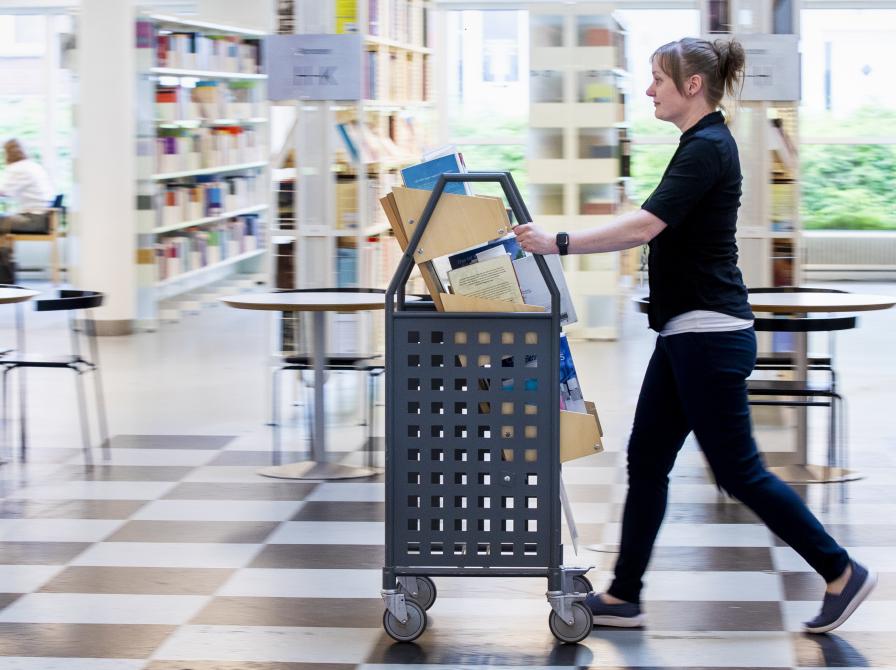

What you can do at a Danish library

Even if you are not a library user, you can come here to read books, comics, newspapers, and magazines. You can also play board games and puzzles.
If you are a library user, you can borrow books, comics, films, music on vinyl and CD, and board games.
You can go to art exhibitions, book talks, repair cafés, concerts, political debates, and more. These events are open to everyone. Click Det sker to see coming events. Use the Bibliotek box to only see events at your local library. For some events, you must buy a ticket in advance.
The library is free. Everyone is welcome to visit, and you can use it for different things:
- You can hang out and meet friends and family.
- You can work or study.
- You can let your kids play in the children’s section. During school holidays, there are lots of events for children.
It's okay to talk at the library! You are not meant to keep quiet all the time, so long as you do not disturb other people.
The library offers knowledge, literature, and culture at no cost to you. It aims to inspire, educate, challenge, and inform people. It is a cornerstone of democratic society in Denmark. It is also a cultural centre, and it is a great place to start if you want to know local society better.
Visit this page (in Danish) to become a library user.
Basic information
Becoming a library user
As a library user, you can use all 10 libraries in Viborg Municipality. You can become a library user on this website by following the steps below.
You can also ask the library staff to help you. The process only takes a couple of minutes if you have your yellow health insurance card (sundhedskort) with you.
Registering as an adult
To register on our website, you will need two things: your MitID, and your health insurance card (sundhedskort).
When you have become a user, you use your health insurance card as a library card.
- Click this link.
- Click the Opret dig som voksenbruger button.
- Sign in using your MitID.
- Select a PIN code, enter your contact information, and select a pickup library (the library where you will pick up reserved materials).
Never share your PIN code with anyone.
Registering your child
You can register your child if the child is under 18 years old. Children also use their health insurance cards as library cards. If your child is younger than 16, he or she can get a separate library card instead.
- Click this link.
- Click the Opret dit barn som bruger button.
- Sign in using your MitID.
- Select a PIN code for your child, and provide all other necessary information.
If you would like a separate library card for your child, visit your nearest library. The staff will help you.
You can also register your child with this form (in Danish). Print the form, complete it, and hand it in at the library.
Accessing the library
Opening hours and self-service hours (open library)
You can see the addresses and opening hours for all libraries in Viborg municipality by clicking this link.
During opening hours, the library is open to everyone. There is library staff present to help you if you need it.
During self-service hours (also known as open library), there is no library staff. Users who are 16 years or older can enter the library:
- Scan your health insurance card using the card reader at the library entrance.
- Enter your PIN code.
If you bring others with you to the library, you are responsible for them while they are here.
Do not open windows or entrance doors during self-service hours. Opening them would trigger the alarm.
Click this link to become a library user.
Outside opening hours and self-service hours, the library is closed, and the alarm is activated. Ten minutes before closing time, the speaker system will inform you that the library is closing soon. At closing time, the library PCs shut down, and the lights go out. You must leave the library before closing time. If you do not, and the security company needs to visit the library because you triggered the alarm, you must pay all expenses.
Logging and surveillance
When you enter the open library, we log your CPR number and the time you entered the library. All doors and rooms have surveillance cameras. We use them to keep everybody safe and to protect the library and everything in it from vandalism and theft. We use the camera images according to Danish law.
Borrowing and returning
How to borrow
You can borrow materials using the self-service machines in the library: Scan your health insurance card, enter your 4-digit PIN code, and follow the instructions. You can also borrow items using the Mit Biblo app.
- When using the self-service machines, follow the on-screen instructions (available in English and Danish).
- When using the app, use the Scan og Lån feature to scan the barcode on the back of the material.
When you borrow materials, make sure that they are all checked out to you. You can do this by checking that all materials you have borrowed are shown on your receipt or in the Mit Biblo app. If they are not, try to scan them again or ask the staff for help.
Click this link to become a library user.
Loan periods
You can usually borrow materials for 14 or 28 days. You can see the loan period for your materials on the receipt from our self-service machines and in the Mit Biblo app.
If no one else has reserved the material, you can usually extend the loan period twice. You can do this in the Mit Biblo app, online at viborgbib.dk, or by contacting our staff.
We will send you reminders when the due date approaches, and recall notices when you have exceeded the loan period. Please keep your contact information up to date at viborgbib.dk or using the Mit Biblo app.
How to return
When you return materials to the library, scan them using the self-service machines in the library.
If someone else has reserved an item that you are returning, you will be asked to drop the item into the box next to the machine. Otherwise place all returned items on the book trolleys next to the machines.
Remember to check that the number of materials you have returned matches the number shown on the screen or your receipt. If the self-service machine has not registered one of the materials you are returning, try scanning it again. You can also ask the staff for help.
Think of the next person who is looking forward to the book, film, or game you have borrowed. Return materials when you have finished with them.
Rules
Library rules
When visiting one of the Viborg libraries, you must follow these rules and any directions from our staff.
- Be considerate of others when visiting the library.
- You are welcome to bring your own food and eat it at the round tables.
- You are allowed to use your phone but be considerate of others.
- Smoking is not allowed.
- Do not bring alcohol or recreational drugs to the library.
- Please dispose of paper and other waste in the baskets provided.
- Dogs are not allowed, except service dogs.
If you do not follow the rules, we may ask you to leave the library. We may also report you to the police. If you have registered your child as a library user, you are responsible for your child’s use of library services.
Fees and damages
You do not have to pay a fee if you return materials a little too late.
But: if you return materials later than 36 days after the due date, or if you do not return them at all, we consider the material lost. You must pay compensation for the lost material.
Remember to return materials when you have finished with them, or extend the loan period.
If you or your child is responsible for damaging, destroying, or removing library materials or equipment, you must pay damages.
Finding what you need
Finding books and more
Searching for materials
- To search for materials, type what you are looking for in the search field at the top of this website, and press Enter. You can filter your results. For example, click På hylden to only see materials available on the library shelves, or select Lydbøger under Materialetype to only see audiobooks.
- You can do an advanced search (Avanceret søgning). This lets you select search criteria such as material types (Materialetype) and languages (Sprog).
When you have found something you want to borrow, you can reserve it or get help locating the item in the library.
To reserve an item, you must be a library user, and you must sign in. Click this link to become a library user.
You can also use the Mit Biblo app to find and reserve materials.
Reserving materials
When you reserve an item, the library staff will find it for you.
When the item is ready for you, you will get a notification via email, in a text message, and in the Mit Biblo app (if you are using it).
The notification contains a pickup number. Use this number to find your item in your pickup library. Each library has special shelves for reserved materials. All items on these shelves are placed in numerical order so you can quickly find your item.
If you have reserved an item, and you want to pick it up at another library than your usual library, you can edit your reservation to indicate this (as long as the material is not ready for pickup yet). Contact the library staff if you need help doing this.
Help and assistance
The library staff is always ready to help you with many different tasks:
- becoming a user
- finding, reserving, borrowing, and returning materials
- changing your PIN code or creating a new one
- helping users with disabilities
and much more. Visit your nearest library or call us during staffed hours.
Locations and opening hours
Click this link to see the addresses and opening hours of all libraries in Viborg municipality.
You can also find this information by clicking Adresser og åbningstider in the page footer, or by clicking the clock in the top-right corner of the library website.
IT services
PCs, copiers, and printers
Using PCs
You can use the public PCs free of charge. You can use them for personal and work purposes. Always follow the rules for use of the library PCs; see below.
You can make photocopies and print documents at the main library in Viborg and at the libraries in Bjerringbro, Houlkær, Stoholm, and Karup.
For security reasons, scanning is not available.
Using the photocopiers
To make photocopies, contact the library staff during opening hours.
Each copy costs DKK 2 (for A4 copies) or DKK 4 (for A3 copies). The price is the same for colour and black & white copies. You can pay using your credit card or MobilePay.
Printing from public PCs at the library
- Visit this page on princh.com.
- Follow the directions for printing from a public PC.
- Select the printer you want to use by its printer ID; see below.
- Enter the 4-digit code from Princh on the tablet next to the printer (not on the printer itself). This releases the print job on the printer.
Printer IDs
- Viborg main library: 103668
- Bjerringbro: 103694
- Houlkær: 103692
- Stoholm: 102145
- Karup: 103714
Print jobs are deleted if they are not completed within 24 hours.
Printing from your own computer, smartphone, or tablet
- Visit this page on princh.com.
- Follow the directions for Android or iOS apps or for laptops.
- Enter the ID of the printer you want to use, and release the print job on the chosen printer (see above).
Using wi-fi
You can use free wi-fi at all ten libraries in Viborg Municipality.
Connecting your device to wi-fi
- Connect to the ViborgOpen network.
- A sign-in page at Viborg Kommune opens. You may need to open a browser to see it.
- Enter your phone number to get a single-use password.
- Enter the password to access the wi-fi network.
Your device now has access to the ViborgOpen network for 6 hours. If you restart your device before the 6 hours are up, you must connect to wi-fi again.
You can use the wi-fi network during library opening hours. If you are a library user, you can access the library’s digital services when you have access to the wi-fi network.
Click this link to become a library user.
Using library apps
You can use the Mit Biblo app to
- find, reserve, and borrow materials
- check the loan period of materials you have borrowed
- get recommendations
- find opening hours and contact information
- update your contact information
The app is available for iOS and Android. The first time you use the app, you must select Viborg municipality and sign in using your CPR number and PIN code.
Click this link to become a library user.
As a library user, you can use the Biblo, Biblo GO, and eReolen Global apps to find e-books, audiobooks, and more on your device. They are available for iOS and Android. You can also use these services from a browser on your computer.
- Biblo gives you access to e-books, audiobooks, and podcasts, mostly in Danish.
- Biblo GO gives you access to e-books and audiobooks for children aged 7 to 14, mostly in Danish.
- eReolen Global gives you access to e-books, audiobooks, and magazines, mostly in English.
IT rules
Rules for using public PCs and wi-fi at the library
- Never work with sensitive or confidential material on any computer at the library: The library is a public space, and anyone may see what you are doing.
- Use of public PCs at the Viborg Libraries is at your own risk.
- When using the internet, follow all copyright legislation and other relevant laws.
- You are not allowed to use our PCs to search for pornographic or racist material, or material that could otherwise be considered offensive.
- The memory of our PCs is erased every 5 minutes. You should still delete all personal information from our PCs after use: delete all personal files, and clear the browser history.
- Never save passwords or other personal information on library PCs.
- It is your responsibility to protect your device against hackers, viruses, etc.
- We log all data traffic on Viborg library networks.
If you do not follow these rules, or in case of vandalism against our PCs, we may suspend your access to the PCs for a short or long period. We may also ask you to leave the library, or we may report you to the police. If you have registered your child as a library user, you are responsible for your child’s use of library IT services.
Language resources
Practising your Danish
If you are learning Danish, the library can help:
- If you need a dictionary for an exam (for example at language school), you can borrow it from the library. We have dictionaries for many different languages. Remember to borrow or reserve the dictionary you need well in advance.
- You can borrow books, comics, and more in Danish. If you already know Harry Potter, Tintin, or The Hunger Games in your own language, reading them in Danish will be easier.
- Depending on your skill level, you can visit the adult or children’s section of the library to find books that provide useful language training.
- You can borrow audiobooks in Danish and listen to them while reading the book at the same time. This is a great way to learn how to pronounce Danish words. Audiobooks are available in the Biblo app and on the library website.
- You can go to many different events at the library. Many of these events are relevant to internationals: Go to a concert, have your jeans repaired at a Repair Café, or join a knitting event. Take this opportunity to talk to Danes and other internationals!
Resources in other languages
The library has books and other materials in other languages.
As a library user in Viborg municipality, you can use digital services that let you read or listen to content in English. Simply sign in using your CPR number and your library PIN code:
- PressReader lets you read more than 7,000 newspapers and magazines from 150 countries in 60 languages.
- eReolen Global lets you enjoy e-books, audiobooks, and magazines in English (and some magazines in Danish).
- Ebook Central and Ebook Central Plus let you read more than 35,000 English-language e-books on many different subjects.
- Explora is an article database, primarily in English. It covers many different topics and has articles, e-books, news, and videos from international sources.
- Gale in context High School and Science are English-language databases. They give you access to scientific articles, historical sources, topic portals, news, and video clips.
- ordbogen.com contains dictionaries that help you translate words in several languages to and from Danish.
- Transparent Language Online lets you take language courses for more than 110 languages.
- Europa World Plus is an English-language online reference work. Here you can find statistics and analyses about the world and major international organisations.
- Comics Plus lets you read more than 19,000 comic books in English. Choose from more than 90 publishers and many different genres.
- Medici.tv lets you enjoy a huge collection of videos of music performances within classical music, opera, dance, and jazz.
- Qello Concerts is the world’s biggest collection of full-length concerts and music documentaries. You can use this service via the Libby app that you also use for eReolen Global.
Click this link to become a library user.